Transform Model
Perform translation and rotation transformations on a selected model.
- The
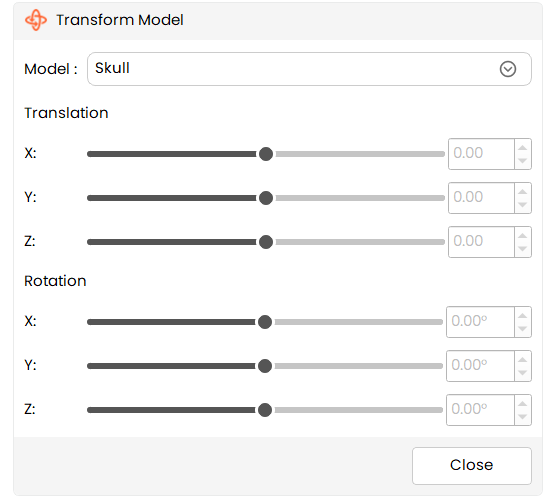
Transform Modeleffect allows users to manually translate and rotate a model along the X, Y, and Z axes using sliders and spin boxes for precise control.
Steps:
- Select the
Transform Modeleffect from the tools panel. - Choose a model from the Model dropdown.
- Adjust the Translation values (X, Y, Z) using sliders or spin boxes.
- Adjust the Rotation values (X, Y, Z) using sliders or spin boxes.
- Observe the model updating in real time in the 3D view.
- Click Close to exit the effect.
Additional Information
Translation
- Translation controls move the selected model along the:
- X-axis
- Y-axis
- Z-axis
- Users can:
- Drag sliders for quick adjustments.
- Enter exact values using spin boxes for precision.
Rotation
- Rotation controls rotate the selected model around the:
- X-axis
- Y-axis
- Z-axis
- Rotation values are specified in degrees.
- Both sliders and spin boxes stay synchronized.
Model Selection Behavior
- If no model is selected:
- The Model dropdown shows None.
- Translation and rotation controls are disabled.
- When a model is selected:
- All transformation controls become active.