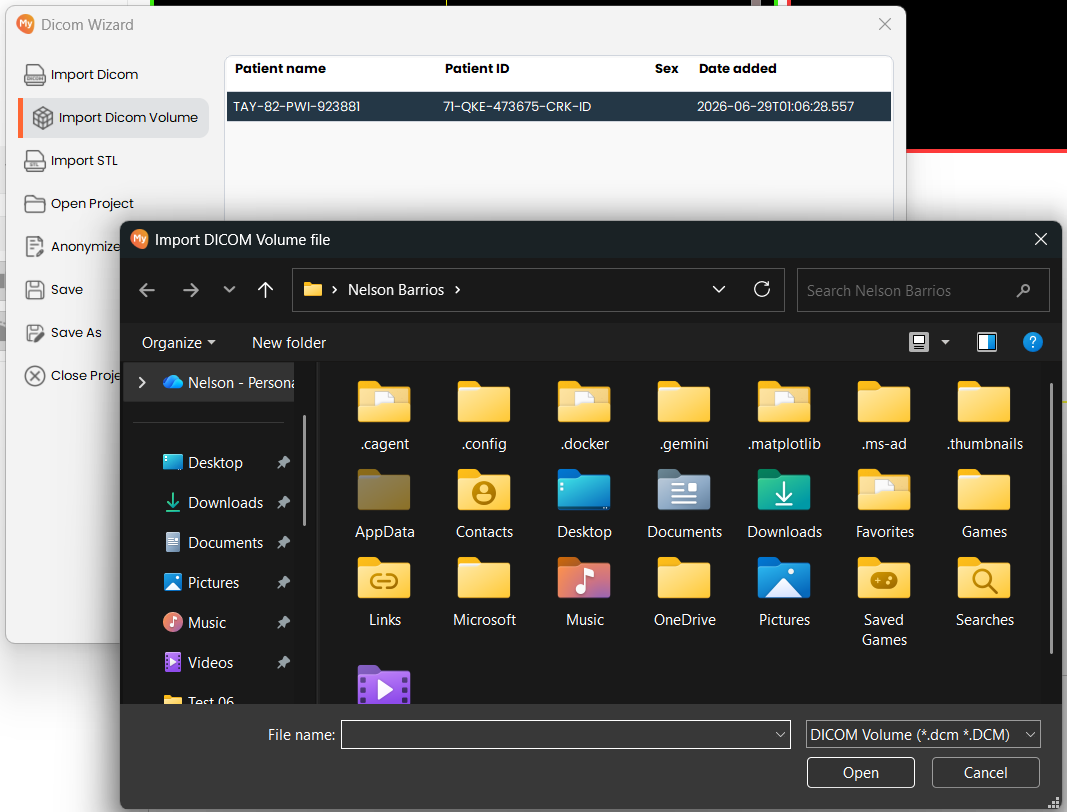
Import Volume
Import a volume by selecting the desired file. Volumes can be imported as DICOM (.dcm), NRRD (.nrrd), or NIfTI (.nii / .nii.gz).
Steps
Load Project
-
Click on Import DICOM Volume Button
- Click on the Import Volume button (previously labelled Import Dicom Volume) on the left sidebar. This will allow you to import a volume file from your device.
-
Select DICOM Volume File
- Browse to and select the volume file you wish to import — DICOM (.dcm), NRRD (.nrrd), or NIfTI (.nii / .nii.gz). Confirm the file is a valid volume file of one of these formats and accessible from your system.
-
Work on the Imported Volume
-
The volume loads and opens in the editor, ready to work on. A new, empty segmentation is created automatically and paired to that volume, so segmentation can begin immediately. Every imported volume keeps MySegmenter’s 1:1 volume-tosegmentation pairing, whichever format it was imported from.
-
If the selected file is missing, unreadable, empty, or corrupted, a message states the problem and nothing is loaded.