Import Model
Import 3D models into your project. Models can be imported as STL (.stl), OBJ (.obj), or PLY (.ply).
Steps
-
Click on Import STL Button
- Click on the Import Model button (previously labelled Import STL) on the left sidebar. This allows you to import 3D models saved in STL (.stl), OBJ (.obj), or PLY (.ply) format into your project. The same import is also available from the 3D Object table, where it behaves in the same way and accepts the same three formats.
-
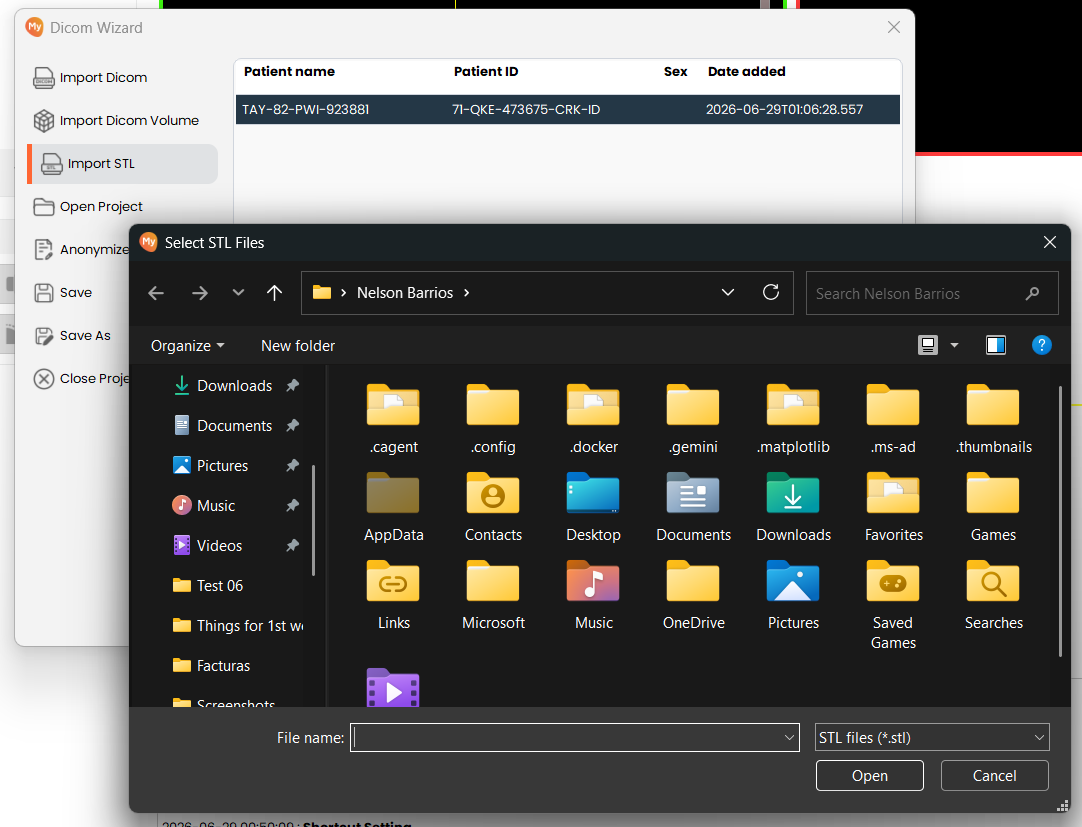
Select STL Files
- Browse to and select the model file(s) you wish to import. Confirm the files are valid STL,
OBJ, or PLY files and accessible from your system. If a selected file is of an unsupported
type, empty, or damaged, that file is reported as invalid and skipped, while the remaining
valid files are still imported
- Browse to and select the model file(s) you wish to import. Confirm the files are valid STL,
OBJ, or PLY files and accessible from your system. If a selected file is of an unsupported
type, empty, or damaged, that file is reported as invalid and skipped, while the remaining
valid files are still imported